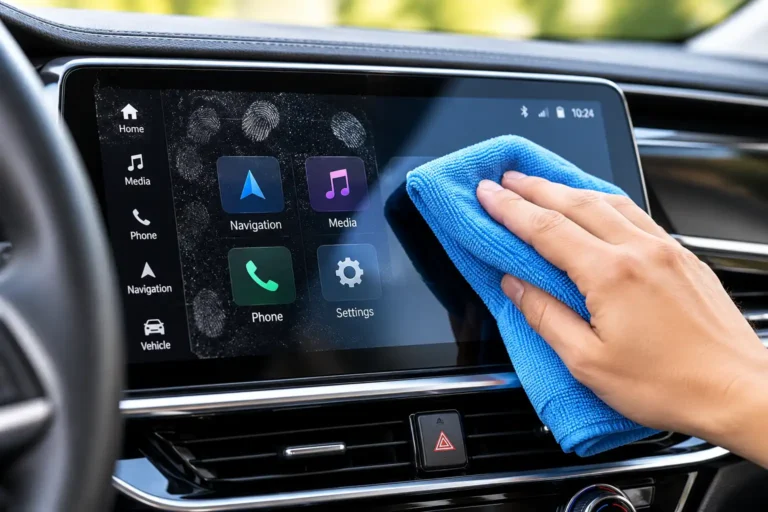
A dirty car touchscreen can make your entire dashboard look neglected. Fingerprints, dust, greasy smudges, and dried residue can quickly build up on the infotainment display as you use navigation, adjust climate controls, make phone calls, and change music.
Learning how to clean a touch screen in a car properly is essential because automotive displays can have delicate surface coatings that require special care. Using the wrong cleaning product, applying excessive pressure, or allowing liquid to enter the display can cause avoidable damage.
The safest way to clean a car touchscreen is to start with a clean, soft microfiber cloth and remove loose dust before wiping the surface. If fingerprints remain, follow your vehicle manufacturer’s cleaning instructions to determine whether a slightly damp cloth or a compatible screen cleaner is suitable.
In this complete guide, you will learn how to clean a car touchscreen step by step, remove stubborn fingerprints and oily marks, choose appropriate cleaning materials, avoid common mistakes, and keep your infotainment screen looking clean for longer.
Quick Answer: How to Clean a Touch Screen in a Car
To clean a car touchscreen, park your vehicle safely, turn off the display if possible, and gently remove dust with a clean, dry microfiber cloth. Wipe away fingerprints using light pressure and a clean section of the cloth. If greasy marks remain, consult your owner’s manual before using an approved damp-cloth method or compatible screen cleaner.
Never spray liquid directly onto the touchscreen. Avoid abrasive materials, unapproved household cleaners, and excessive pressure that could damage the screen’s surface.
For routine maintenance, dry microfiber cleaning is the best starting point.
Why Is It Important to Clean a Car Touchscreen Properly?
Your car’s infotainment system is one of the most frequently touched surfaces inside the cabin. Every interaction can leave behind fingerprints, skin oils, dust, and other contaminants.
Cleaning the display correctly helps maintain its appearance and visibility while reducing the risk of damage caused by unsuitable products or cleaning techniques.
1. Remove Fingerprints and Greasy Smudges
Fingerprints are among the most common problems with car touchscreens. Natural oils from your fingers can create cloudy marks that are particularly noticeable on dark displays.
A soft microfiber cloth can remove many fingerprints without requiring a chemical cleaner. For stubborn marks, use only a cleaning method approved for your particular display.
2. Maintain Clear Screen Visibility
Dust and residue can become distracting when sunlight shines across the dashboard. Keeping the display clean helps you see navigation directions, camera images, music controls, and other information more clearly.
Cleaning will not eliminate reflections caused by sunlight or the screen’s design, but it can remove surface dirt that makes visibility worse.
3. Protect Delicate Screen Coatings
Some automotive displays have anti-glare, fingerprint-resistant, or other protective surface treatments. Certain chemicals and abrasive cleaning materials may damage these finishes.
Using an approved cleaning method helps reduce unnecessary wear and preserves the original appearance of the display.
4. Keep Your Dashboard Looking Well Maintained
A clean infotainment screen makes a noticeable difference to the appearance of a modern car interior.
Regularly removing fingerprints and dust can help your dashboard look tidier without requiring expensive detailing products.
What Do You Need to Clean a Car Touchscreen?
You do not need a large collection of automotive detailing products to clean your touchscreen safely. A few appropriate supplies are usually sufficient.
Clean Microfiber Cloth
A soft, lint-free microfiber cloth is the most important item for touchscreen cleaning. Choose one intended for delicate surfaces and make sure it is free from dust, grit, and residue from other cleaning products.
Keep a dedicated cloth for your infotainment display. A cloth previously used to clean wheels, dashboard protectants, or greasy surfaces may transfer contaminants onto the screen.
Compatible Screen Cleaner
A screen cleaner may help remove fingerprints that do not respond to dry wiping. However, not every product marketed for glass or electronic displays is suitable for every automotive touchscreen.
Read your vehicle owner’s manual and the cleaner’s instructions before using it. An ammonia-free label alone does not guarantee compatibility.
Soft Detailing Brush
A clean, soft detailing brush can help remove loose dust around the display’s edges and surrounding dashboard trim.
Use it gently and avoid pushing debris into the gaps around the screen. Do not use stiff bristles or sharp tools.
A Second Dry Microfiber Cloth
A second cloth is useful for removing any remaining residue after an approved damp-cleaning method.
Keep it clean and dry until you need it.
How to Clean a Touch Screen in a Car Step by Step
Follow this process to remove everyday dust, fingerprints, and smudges while minimizing the risk of scratching or damaging your display.
Step 1: Park Your Car Safely
Park your vehicle in a safe location before cleaning the touchscreen. Apply the parking brake and make sure you can work without driving distractions.
Whenever practical, clean the display in a shaded area. Direct sunlight can make fingerprints difficult to see and may heat the screen or dashboard.
If the display is hot after the vehicle has been parked in the sun, allow it to cool before cleaning.
Step 2: Turn Off the Touchscreen
Switch off the infotainment display using the vehicle’s normal controls, if possible.
A dark screen makes fingerprints, dust, and streaks easier to identify. It also reduces the likelihood of accidentally activating navigation, audio, or climate settings while wiping.
If your vehicle has a dedicated screen-cleaning mode, follow the instructions in the owner’s manual.
There is no need to disconnect the battery or remove fuses for routine screen cleaning.
Step 3: Remove Loose Dust
Take a clean, dry microfiber cloth and gently remove dust from the touchscreen.
Use light pressure and slow movements. Avoid scrubbing the display while loose particles are still on the surface, as trapped grit may scratch the screen or its coating.
If you notice dust around the screen’s frame, remove it carefully with a soft detailing brush.
Do not scrape the display with your fingernails, use abrasive pads, or force dirt into the surrounding gaps.
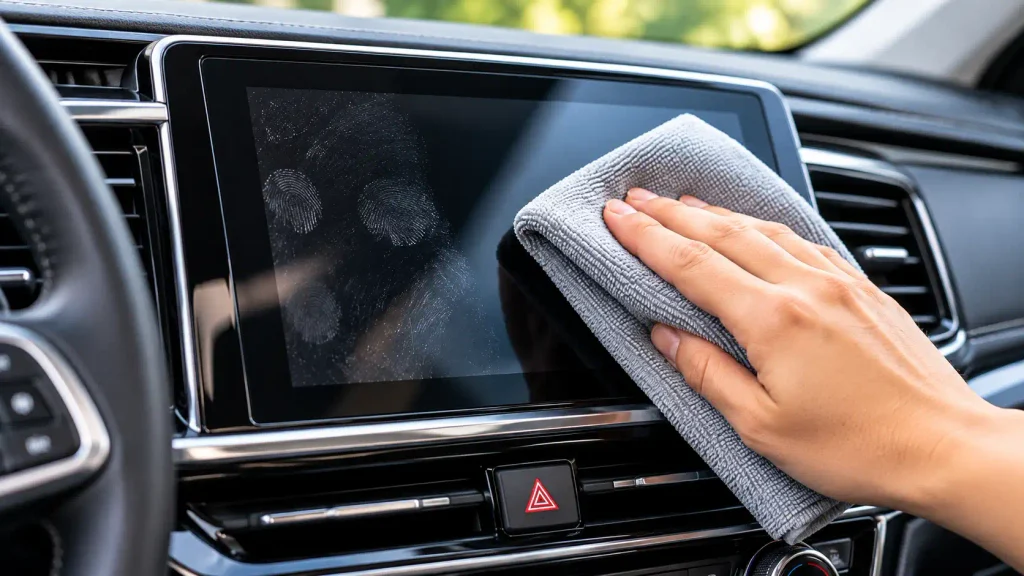
Step 4: Wipe Away Fingerprints With a Dry Cloth
Once loose dust has been removed, fold the microfiber cloth to expose a clean section.
Gently wipe the display using straight, overlapping movements. Work across the screen without pressing hard or repeatedly rubbing the same area.
If the cloth becomes oily, turn it to a clean section.
Dry wiping often removes ordinary fingerprints and light smudges without the need for any cleaning solution.
Step 5: Remove Stubborn Smudges Safely
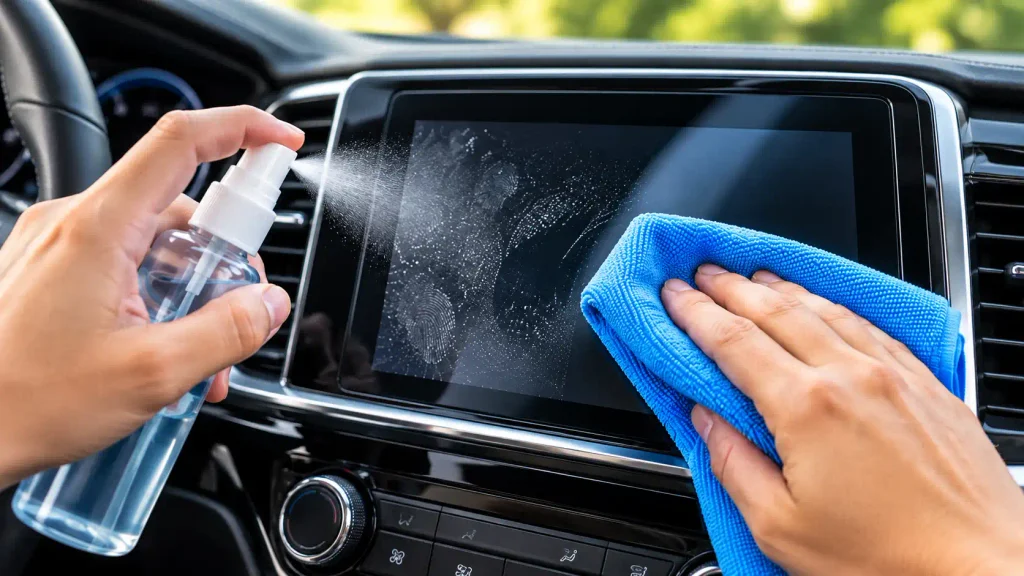
If greasy fingerprints remain after dry wiping, consult your vehicle’s owner’s manual before introducing moisture.
Cleaning requirements vary by display. Some manufacturers permit a lightly dampened soft cloth, while others specify dry cleaning or restrict which products may be used.
If your manufacturer allows a damp cloth or a compatible screen cleaner, follow these precautions:
- Apply a small amount of the approved cleaning solution to the cloth away from the display.
- Make sure the cloth is barely damp, not wet.
- Gently wipe the affected area without pressing hard.
- Keep moisture away from the screen’s edges, seams, buttons, and dashboard openings.
- Follow any additional instructions provided by the vehicle or product manufacturer.
Never spray a cleaner directly onto the screen.
If your owner’s manual specifies dry cleaning only, do not use a wet-cleaning method.
Step 6: Remove Remaining Streaks
If your approved cleaning method involves moisture, use a separate clean, dry microfiber cloth to remove any permitted residual moisture or streaks.
Wipe gently and inspect the display from different angles under normal lighting.
Avoid aggressive polishing in an attempt to make the screen look glossy. The display’s original finish may be designed to reduce reflections rather than create a shiny appearance.
Step 7: Clean Around the Screen’s Edges
Dust often collects along the bezel, around physical buttons, and where the display meets the dashboard.
Use a dry microfiber cloth or a soft detailing brush to remove loose debris from these areas.
Be especially careful around glossy black trim, which can show fine scratches. Do not pour liquid into gaps or insert sharp tools around the display.
Step 8: Inspect the Screen Before Finishing
Check the display for remaining fingerprints, lint, streaks, and moisture.
If you find another smudge, use a clean section of microfiber cloth instead of immediately applying a stronger chemical.
Turn the screen back on using the vehicle’s normal controls. Check that the display looks normal and responds as expected.
If you notice unusual discoloration, persistent cloudiness, peeling coating, or abnormal touch response, stop cleaning and consult the manufacturer’s guidance or a qualified service professional.
What Should You Never Use to Clean a Car Touchscreen?
Choosing the wrong cleaning product can be more damaging than leaving a minor fingerprint on the display. Avoid using any product unless its compatibility with your particular screen has been established.
Ammonia-Based Glass Cleaner
Do not assume that a cleaner designed for household windows is suitable for an automotive touchscreen. Ammonia-based products can damage certain display coatings.
Use a screen-cleaning product only when the vehicle manufacturer permits it.
Unapproved Alcohol Wipes
Alcohol is not compatible with every screen coating. Some displays have specific disinfection instructions, while others restrict alcohol-based cleaners.
Check your owner’s manual before using alcohol or disinfectant wipes.
Paper Towels and Tissues
Paper products may leave lint and can be abrasive, particularly if dirt becomes trapped between the paper and the display.
A clean microfiber cloth is a better starting point for routine touchscreen cleaning.
Abrasive Pads and Rough Cloths
Scouring pads, rough towels, and dirty cloths may scratch the display or damage its surface treatment.
Always use soft, clean materials.
Strong Solvents and Household Cleaners
Bleach, paint solvents, concentrated cleaning chemicals, and general-purpose products should not be used unless the manufacturer explicitly approves the specific product and method.
A cleaner suitable for plastic trim, leather, or windows may not be suitable for an infotainment display.
Excessive Water or Direct Spray
Never pour water onto the touchscreen or spray cleaning liquid directly at it.
Liquid can collect around the bezel and enter gaps or openings. Apply an approved solution to the cloth instead, using only the amount permitted by the manufacturer.
Sharp Objects
Do not use a razor blade, fingernail, metal tool, or plastic scraper to remove dried residue.
These tools may leave scratches or damage the display coating.
How to Remove Different Types of Dirt From a Car Touchscreen
Different contaminants require slightly different approaches. Always start with gentle cleaning and follow the manufacturer’s instructions.
How to Remove Fingerprints From a Car Touchscreen
Fingerprints are usually caused by natural oils transferred from your fingers.
Start with a clean, dry microfiber cloth. Gently wipe the display and rotate the cloth to a clean section as needed.
For fingerprints that remain, use an approved damp-cloth method or screen cleaner if your vehicle permits it.
Avoid repeated, forceful rubbing because excessive pressure may cause wear without removing the marks effectively.
How to Remove Greasy Smudges
Greasy smudges may not disappear completely with dry wiping.
Check the owner’s manual and use a compatible cleaning solution only if approved. Apply it sparingly to the cloth rather than the screen and work gently across the affected area.
Do not increase the concentration of the product or switch to a stronger household cleaner simply because the mark is stubborn.
How to Remove Sticky Residue
Sticky residue can come from food, sugary drinks, or material transferred from your fingers.
Remove the contamination according to the manufacturer’s cleaning instructions. Where moisture is permitted, use the approved method with a barely damp cloth and work carefully around the affected area.
Do not scrape residue with your fingernails or a sharp object.
If the residue cannot be removed safely, consult the vehicle manufacturer or an automotive detailing professional.
How to Remove Dust From Screen Corners
Use a clean microfiber cloth for the main display and a soft brush for loose dust around the edges.
Work gently so that you do not push debris into the gap between the screen and the frame.
Avoid inserting cotton swabs or tools deeply into the bezel.
How to Clean an Extremely Dirty Touchscreen
If the display has heavy contamination, resist the temptation to clean it with stronger chemicals or extra pressure.
Remove loose dust first, then use the cleaning procedure approved for your screen. Repeat gentle cleaning if necessary.
If the surface remains cloudy or appears damaged, ordinary cleaning may not resolve the problem. Persistent marks may be caused by a deteriorated coating, scratches, or residue from a previous cleaning product.
Can You Use Water to Clean a Car Touchscreen?
Water may be suitable for certain automotive touchscreens, but it is not a universal cleaning solution.
Some vehicle manuals permit a soft cloth dampened with an approved solution, while others specify different cleaning procedures for different display types.
Before using water, check the instructions for your exact make, model, and year.
If the manufacturer permits a damp-cloth method, dampen the cloth lightly and prevent moisture from collecting around the edges.
Distilled water may help reduce mineral marks when a damp-cleaning method is permitted, but it does not make a prohibited wet-cleaning method safe.
Can You Use Alcohol to Clean a Car Touchscreen?
You should not assume that alcohol is safe for your car’s touchscreen.
Some displays have approved procedures for particular alcohol-based products, while others restrict these cleaners because they may damage the screen’s surface or coating.
For routine fingerprint removal, begin with a dry microfiber cloth. If additional cleaning is necessary, follow the exact instructions for your display.
A product being suitable for steering wheels, door handles, or other interior surfaces does not establish that it is suitable for your infotainment screen.
How to Disinfect a Car Touchscreen Safely
Cleaning and disinfecting are different processes. Cleaning removes visible dirt, grease, and residue, while disinfection is intended to reduce certain microorganisms.
If you need to disinfect a car touchscreen, follow these steps:
- Check the vehicle manufacturer’s instructions for cleaning and disinfection.
- Confirm that the approved product is compatible with the display coating.
- Follow the specified application method and contact time.
- Keep liquid away from the display’s edges and nearby electronic controls.
- Never spray disinfectant directly onto the touchscreen.
If the manufacturer does not approve a suitable disinfectant, do not experiment with household chemicals. Use an approved cleaning method instead.
How Often Should You Clean Your Car Touchscreen?
The ideal cleaning frequency depends on how often you use your display and how quickly it collects dust and fingerprints.
For everyday use, inspect the screen regularly and clean it when visible marks become distracting. You do not need to apply cleaning chemicals every day.
Consider the following routine:
| Situation | Recommended approach |
|---|---|
| Light everyday use | Dry wipe when dust or fingerprints appear. |
| Frequent touchscreen use | Inspect regularly and clean as needed. |
| After a food or drink spill | Follow the manufacturer’s spill-cleaning instructions promptly. |
| After a dusty road trip | Remove loose dust before wiping the display. |
| During interior detailing | Clean the touchscreen separately using compatible materials. |
A clean, dry microfiber cloth is often sufficient for routine maintenance.
How to Keep Your Car Touchscreen Cleaner for Longer
A few simple habits can reduce fingerprint buildup and help maintain the screen’s appearance.
Use Clean Hands When Possible
Dirt, grease, and lotion can transfer from your fingers to the display. Clean hands help reduce oily marks.
Keep a Dedicated Microfiber Cloth in Your Car
Store a clean screen-cleaning cloth in a protective pouch or compartment.
Keep it separate from cloths used for wheels, dashboard dressings, and other products that may transfer chemicals or grit.
Avoid Touching the Screen With Dirty Fingers
If your hands are covered with food, grease, or other substances, clean them before using the display whenever practical.
Remove Loose Debris Before Interior Cleaning
When cleaning your dashboard, remove dust and loose particles before wiping surfaces.
This helps prevent debris from being dragged across the display.
Choose Cleaning Products Carefully
If you keep a screen cleaner in your vehicle, check that it is suitable for your particular display and follow its instructions.
Do not choose a product based only on its marketing description or its suitability for ordinary glass.
Should You Install a Screen Protector on Your Car Touchscreen?
A compatible screen protector may help protect some displays from everyday surface scratches and marks. However, not every vehicle needs one, and compatibility depends on the design of the screen.
Before installing a protector, confirm that it is designed for your exact display and does not interfere with touch sensitivity, visibility, sensors, or other functions.
Follow the installation instructions carefully. An unsuitable protector may create glare, bubbles, or touch-response problems.
Remember that the protector itself can collect fingerprints and needs appropriate cleaning. Do not assume that its presence makes every cleaning chemical safe.
Common Mistakes to Avoid When Cleaning a Car Touchscreen
Many screen-cleaning problems occur because drivers treat infotainment displays like ordinary windows.
Avoid these common mistakes:
- Using household glass cleaner without checking compatibility.
- Spraying cleaning liquid directly onto the display.
- Wiping loose dust with a dirty or rough cloth.
- Applying excessive pressure to remove stubborn marks.
- Using alcohol wipes without checking the manufacturer’s instructions.
- Allowing moisture to collect around the screen’s edges.
- Scraping dried residue with sharp objects.
- Cleaning while driving or working on a hot display.
- Assuming every car touchscreen has the same surface coating.
- Using the same cloth for the screen and chemical-heavy detailing tasks.
The safest approach is to remove loose dirt first, use gentle cleaning methods, and avoid unnecessary chemicals.
Frequently Asked Questions About Cleaning a Car Touchscreen
Can I clean my car touchscreen with only a microfiber cloth?
Yes. A clean, dry microfiber cloth is a good starting point for removing routine dust and fingerprints from many automotive displays. If residue remains, check the manufacturer’s instructions before introducing moisture or a cleaning product.
Can I use glasses cleaner on a car touchscreen?
Only if the cleaner is confirmed to be compatible with your particular display. A product designed for eyeglasses is not automatically suitable for an automotive infotainment screen.
Why does my car touchscreen look streaky after cleaning?
Streaks may result from leftover skin oils, cleaning-product residue, excess moisture, or a dirty cloth. Try a clean, dry microfiber cloth first. If the marks remain, follow the manufacturer’s approved cleaning procedure instead of using stronger chemicals.
Can cleaning damage a car touchscreen?
Yes. Incompatible chemicals, abrasive materials, excessive pressure, and liquid entering the display’s openings can damage certain screens or coatings. Using the correct materials and approved cleaning method helps reduce these risks.
How do I clean a touchscreen without scratching it?
Turn off the display when practical, remove loose dust first, and wipe gently with a clean, soft microfiber cloth. Avoid rough fabrics, paper towels, abrasive tools, and excessive pressure.
Is a screen-cleaning wipe safe for every car?
No. Cleaning wipes can contain ingredients that are unsuitable for certain screen coatings. Check both the wipe’s instructions and your vehicle owner’s manual before use.
Can I use an alcohol-free glass cleaner on my infotainment screen?
Not automatically. Although avoiding alcohol may address one potential concern, other ingredients may still be unsuitable for your display. Use only a product approved for your particular screen.
How can I remove sticky residue without damaging my touchscreen?
Follow your vehicle’s cleaning instructions and use an approved method for the specific contamination. Never scrape the display with a sharp tool. Seek professional advice if the residue cannot be removed safely.
Final Thoughts
Learning how to clean a touch screen in a car is simple once you understand the importance of using the correct materials and cleaning method.
Start with a clean, dry microfiber cloth, remove loose dust before wiping, and use gentle movements to remove fingerprints and everyday smudges. If additional cleaning is necessary, consult your vehicle owner’s manual before using water, alcohol, disinfectant, or a screen-cleaning solution.
Avoid abrasive materials, incompatible chemicals, excessive pressure, and direct liquid sprays. These precautions can help preserve the appearance of your infotainment display and reduce the risk of unnecessary damage.
With a gentle cleaning routine and a little regular maintenance, you can keep your car touchscreen clearer, cleaner, and ready for everyday use.